Is This Website Legit? How to Check If an Online Store Is Safe
Before you enter your payment details, it’s important to know whether an online store is safe or a potential scam. This guide breaks down simple, practical checks you can use to verify any website’s legitimacy, spot red flags, and shop online with confidence.
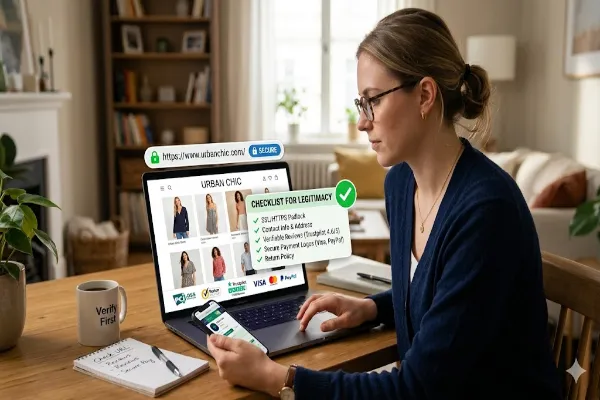
Checking for security indicators like HTTPS and verifiable reviews can save you from online shopping scams.
You found an online store selling exactly what you want — at a surprisingly good price. But something feels slightly off. Maybe the site looks a little generic, or you’ve never heard of the brand, or you stumbled onto it through a social media ad. Before you hand over your credit card number, stop. Fake and fraudulent online stores are more sophisticated than ever, and even careful shoppers get caught out. This guide walks you through every check you can do — from a 30-second glance to a deep-dive investigation — to know whether an online store is safe before you spend a single cent.
Why Fake Online Stores Are So Convincing Now
A decade ago, scam websites were easy to spot: broken English, pixelated logos, obviously stolen images, and no SSL certificate. Today’s fraudulent stores are a different beast. They use professional templates, stock photography from legitimate suppliers, believable product descriptions, and even fake reviews that look real. Some go so far as to copy the entire design — layout, images, and all — of legitimate stores, changing only the URL and payment details.
The explosion of social media advertising has made it trivially easy for bad actors to reach millions of people with targeted ads for products that don’t exist or will never be delivered. Instagram and Facebook ads in particular have become vectors for scam stores, because anyone can buy targeted ad placements without meaningful vetting.
The stakes are real. Victims of fraudulent online stores don’t just lose money — they may also have their payment details, home addresses, email addresses, and phone numbers harvested for further fraud. Understanding how to vet a website before buying isn’t just about saving money on one purchase. It’s about protecting your financial and personal security.
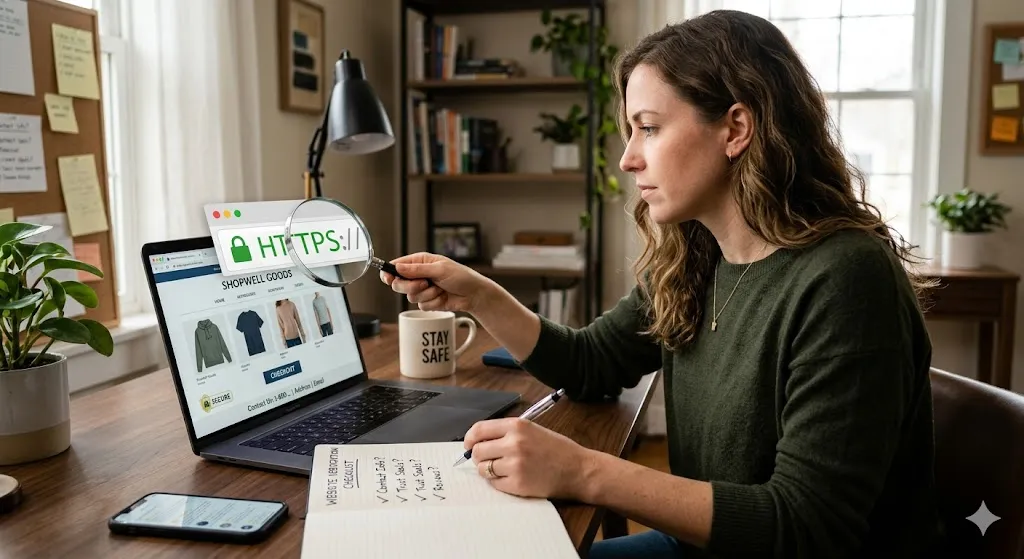
Step 1: Check the URL Very Carefully
The web address is the first and fastest thing to examine — and it’s where many scammers make their most detectable mistakes.
Look for HTTPS
Every legitimate online store should use HTTPS — the “S” stands for secure, and it means the connection between your browser and the site is encrypted. You’ll see a padlock icon in your browser’s address bar. If the address begins with plain http:// (no S), do not enter any personal or payment information. That said, HTTPS alone doesn’t mean a site is legitimate — scammers can obtain SSL certificates too, and many fake stores do. Think of HTTPS as the bare minimum, not a seal of approval.
Spot Typosquatting and Lookalike Domains
Typosquatting is the practice of registering domain names that closely resemble well-known sites, hoping users will mistake them for the real thing. Common tactics include:
- Adding extra letters: amazoon.com, wallmart.com
- Swapping letters: arnazon.com (rn looks like m)
- Adding hyphens: amazon-shop.com
- Changing the domain extension: amazon.net instead of amazon.com
- Adding words: nike-official-store.com
If you reached the site through an ad or a link (rather than typing it yourself), double-check the full URL in the address bar. Scam stores often target well-known brands by mimicking their URLs so closely that only careful inspection reveals the difference.
Be Wary of Unusual Domain Extensions
Established retailers almost always use .com, .co.uk, .ca, or country-specific equivalents. Sites ending in unusual extensions like .shop, .store, .xyz, .top, or .club aren’t automatically scams — but they’re more common among fraudulent stores, and they warrant extra scrutiny. Check whether the brand you’re looking for has an official website with a standard domain and compare carefully.
Step 2: Look for Contact Information
A legitimate business wants customers to be able to reach them. A scam operation prefers invisibility. Contact information — or the absence of it — is one of the most reliable quick signals.
What Should Be There
A trustworthy online store should provide, somewhere on the site (usually in the footer, on an “About” page, or on a “Contact” page):
- A physical address (not a P.O. box)
- A working phone number
- A customer service email address
- Business registration information (in some countries)
Test What’s There
Don’t just check that contact details exist — verify them. Copy the phone number into Google and see if it’s associated with a real business. Paste the address into Google Maps and confirm it’s a real commercial location, not a vacant lot or residential house. Send an email to the customer service address before purchasing and see if you get a real reply. A scam site often lists fake contact details, or contact forms that go nowhere.
No Contact Info At All
If you can’t find any way to contact the business, walk away. There is no legitimate reason for an online store to make itself completely unreachable. The absence of contact information is one of the clearest red flags you’ll encounter.
Step 3: Check the Domain Age and Registration
Scam websites typically don’t last long — they’re set up quickly, run for a few weeks or months, collect as much money as possible, and disappear. This means they tend to be newly registered domains. You can check a domain’s registration history using a free WHOIS lookup tool.
How to Do a WHOIS Lookup
Go to a WHOIS lookup service such as who.is, whois.domaintools.com, or simply search “WHOIS [domain name]” in Google. Enter the website’s domain name and look for:
- Creation date: A domain registered days, weeks, or even a few months ago that’s already running a fully stocked online store is suspicious. Legitimate businesses build their online presence over time.
- Registrant information: Many registrars now offer privacy protection that hides the owner’s details, so hidden WHOIS data isn’t automatically suspicious. But if the registration country is very different from the store’s claimed location, that’s worth noting.
- Expiry date: Scam sites are often registered for only one year, the minimum. Legitimate businesses typically register for multiple years.
A site that’s been operating for five or ten years with consistent domain registration history is far less likely to be a scam than one that appeared two months ago.
Step 4: Search for Reviews — But Search Smart
Online reviews are a critical part of vetting any store, but you need to know how to look for them intelligently. Scam stores often manufacture fake positive reviews on their own websites, and some even create fake reviews on third-party platforms.
Search the Store Name Plus “Review,” “Scam,” or “Legit”
Open a new browser tab and search for the store’s name followed by words like: review, scam, legit, fake, complaint, or not received order. Real customer complaints tend to bubble up this way. If the store is widely known as fraudulent, you’ll often find forum threads, Reddit posts, or consumer protection websites reporting it.
Check Independent Review Platforms
Look for the store on platforms where reviews can’t be curated by the store owner:
- Trustpilot — widely used, though sophisticated scammers can game it
- Google Reviews — search the store name on Google Maps
- Better Business Bureau (BBB) — for US and Canadian businesses
- Sitejabber — consumer review site focused on online stores
- Reddit — search r/Scams, r/Fraud, or the relevant product subreddit
Red Flags in Reviews
Be skeptical of reviews that are suspiciously uniform — same phrases, same level of enthusiasm, no specific details. Genuine reviews tend to vary: some mention shipping times, some discuss product quality, some describe customer service interactions. A page full of five-star reviews posted within a short window of time, all using generic praise, is almost certainly fabricated.
No Reviews at All
If a store has zero presence anywhere on the internet outside its own website — no reviews, no social media mentions, no forum discussions — that’s itself suspicious. Real businesses generate an organic footprint over time. A store with no external trace is either brand new (proceed with extreme caution) or deliberately keeping a low profile (a red flag).
Step 5: Read the Policies — Return, Refund, Privacy, and Shipping
Legitimate online stores have clearly written, reasonable policies on returns, refunds, shipping, and privacy. Fraudulent stores often have one of two problems: no policies at all, or policies so vague and one-sided that they provide no real protection to buyers.
Return and Refund Policy
Read this carefully. Phrases that should raise concern include:
- “All sales are final” on a general merchandise store
- Return windows of fewer than 14 days
- Requirements to pay return shipping on defective items
- Refunds issued only as “store credit”
- Policies written in vague, ambiguous language that would make it easy to deny any specific claim
Shipping Policy
Watch for unrealistically long shipping times buried in the fine print. Some scam stores — particularly those drop-shipping from overseas suppliers — list shipping times of 30–60 days or more in tiny text while advertising “fast delivery” prominently. A store that ships from China but presents itself as a local brand is not necessarily fraudulent, but it’s something you should know before ordering.
Privacy Policy
Any store collecting your personal data is legally required in most jurisdictions to have a privacy policy explaining what data they collect and how it’s used. The absence of a privacy policy isn’t just a legal issue — it’s a signal that whoever runs the site doesn’t operate in good faith. Read it briefly to check whether it seems like real legal text or a copy-pasted template with placeholder text still visible (yes, this happens).
Terms and Conditions
You don’t need to read every word, but scan the terms. If there are clauses that seem designed to strip you of any recourse — disclaimers that remove all liability for the company regardless of circumstances — be cautious.
Step 6: Examine the Website’s Quality and Content
Even sophisticated scam sites leave tells if you know what to look for. Spend a few minutes clicking around the site rather than heading straight to checkout.
Grammar and Spelling
Poor grammar, unusual phrasing, and spelling errors — especially in key pages like the About section, product descriptions, or policies — can indicate a site built quickly by non-native speakers running a scam operation. This is less reliable than it used to be (AI tools now help scammers write cleaner text), but it’s still worth noting.
Stolen Images
Right-click on product images and select “Search image” (in Chrome) or use Google Images’ reverse image search. If the same product photo appears on dozens of different sites, the store may be drop-shipping or may have simply copied imagery from elsewhere. This isn’t conclusive — legitimate drop-shippers use supplier images — but combined with other red flags, it’s significant.
Placeholder Content
Look for pages that haven’t been filled in — “About Us” pages with lorem ipsum text, blog sections with no posts, or empty category pages. These indicate a store that was set up hastily using a template without completing the work.
Social Media Presence
Does the store have social media accounts? Click through to them. A legitimate store’s social media typically shows a history of posts over time, real customer interactions, and organic engagement. A scam store’s social accounts (if they exist at all) often have recent creation dates, few posts, no real engagement, and followers that look purchased. If the social links in the footer lead to dead pages or the platform’s homepage instead of the store’s actual account, that’s a significant red flag.
Prices That Seem Too Good to Be True
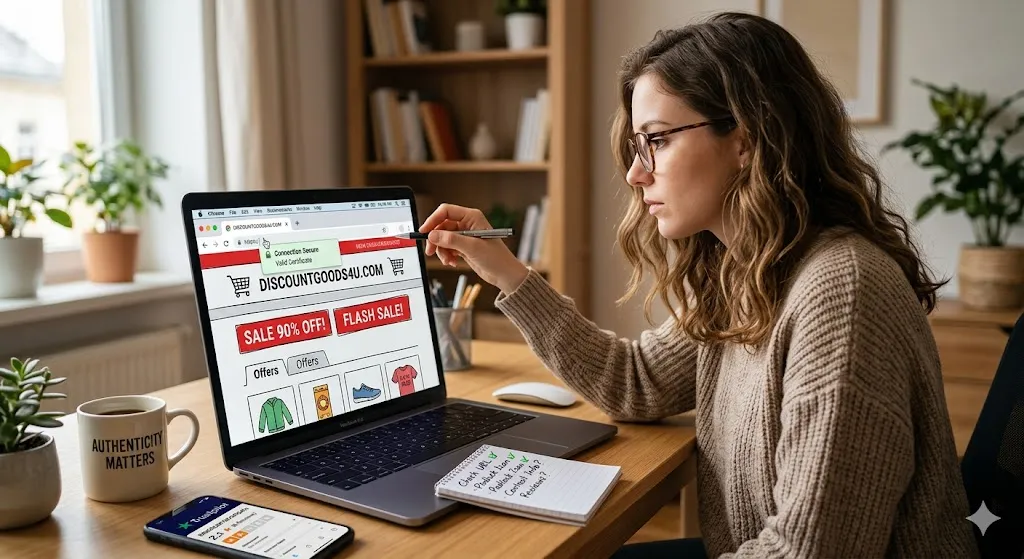
This is a classic scam signal and it remains reliable. If a store is selling what appear to be genuine brand-name products at 70–90% discounts, ask yourself: how? Authentic luxury goods, electronics, and sneakers don’t get sold at deep discounts by unknown online stores. The likely explanation is that the products are counterfeit, won’t be delivered at all, or don’t exist. If the deal seems impossible, it is.
Step 7: Investigate the Payment Options
How a store wants to be paid tells you a great deal about whether it’s trustworthy. Payment method is one of the most direct indicators of risk.
Safe Payment Methods
- Credit cards — the gold standard for online safety. Credit card companies offer strong chargeback protections: if you don’t receive what you paid for, or if the goods are significantly not as described, you can dispute the charge and get your money back.
- PayPal (Goods and Services) — PayPal’s buyer protection covers purchases through its Goods and Services option. Note: paying PayPal Friends and Family removes all protections.
- Apple Pay / Google Pay — these use tokenized card payments and don’t share your actual card number with the merchant, adding a layer of security.
- Shop Pay / Klarna / Afterpay — these services have their own dispute processes and provide some buyer protection.
Payment Methods That Offer No Protection
- Bank wire transfers — once the money leaves your account, it’s almost impossible to recover. No legitimate online store should require bank wire for consumer purchases.
- Cryptocurrency — crypto transactions are irreversible by design. If a store insists on crypto payment, walk away unless you have very high confidence in its legitimacy.
- Gift cards — if any website asks you to pay with iTunes, Google Play, or other gift cards, it is a scam, without exception.
- Zelle, Venmo, Cash App (Friends and Family) — person-to-person payment apps don’t offer buyer protection and transfers cannot be reversed.
- Western Union / MoneyGram — wire transfer services with no consumer protection. Used almost exclusively by scammers in the context of online retail.
A legitimate store will always offer at least one protected payment method. The absence of credit card payment options, or a store that steers you toward unprotected payment methods through “discounts” or “special offers,” is a serious warning sign.
Step 8: Use Online Safety Tools
Several free tools exist specifically to help you assess a website’s safety. They’re quick to use and can surface information you wouldn’t easily find on your own.
Google Safe Browsing
Google maintains a database of unsafe websites and uses it to warn Chrome users before they visit known malicious sites. You can manually check any URL at transparencyreport.google.com/safe-browsing/search. This catches phishing sites and malware distributors but won’t necessarily flag a scam store that simply doesn’t deliver orders.
Scamadviser
Scamadviser.com aggregates data about websites — domain age, hosting location, review signals, blacklist status — and provides a trust score. It’s not infallible, but it’s a useful quick check, especially for identifying recently created or high-risk domains.
URLVoid
URLVoid.com checks a website against multiple blacklists and reputation databases simultaneously. If a site appears on any known blacklists, you’ll see it here.
VirusTotal
VirusTotal.com scans URLs against dozens of security tools and can detect malware, phishing indicators, and other threats. Primarily useful for detecting technical threats rather than general scam stores.
Have I Been Pwned
HaveIBeenPwned.com — while this doesn’t check stores directly, it’s worth using to check whether your email has been exposed in previous data breaches. If your credentials have been compromised before, you’re at higher risk from targeted phishing that mimics legitimate stores.
Step 9: Search for the Business Registration
In most countries, businesses operating legally must be registered with a government authority. If a store makes claims about being an established company, you can often verify those claims directly.
United States
Each state maintains a business registry. Search the Secretary of State website for the relevant state. The Better Business Bureau (bbb.org) also lists registered businesses with complaint histories.
United Kingdom
Companies House (companieshouse.gov.uk) is the official UK register. Any legitimate UK-incorporated business should appear here. You can search by company name or number for free.
European Union
EU member states maintain national business registries. Many EU-based online retailers are also required to display their VAT registration number and registered business address.
Australia
The Australian Business Register (ABN Lookup at abn.business.gov.au) lets you search by business name or ABN number.
If a store claims to be based in a particular country but you can’t find it in that country’s business registry, and especially if the domain registration points to a completely different location, that’s a significant red flag.
Step 10: Check Social Proof More Deeply
Beyond basic review searches, there are additional ways to verify that real people have real relationships with a store.
Look for User-Generated Content
Real customers post unboxing videos, product photos, and reviews on YouTube, TikTok, Instagram, and Reddit without being asked. Search for the store or product name on these platforms. If you find organic, independent content from real people showing products they genuinely received, that’s meaningful positive evidence.
Check Followers vs. Engagement
On the store’s own social media, compare follower counts to engagement. A store with 50,000 followers and posts that receive 3 likes and 0 comments has almost certainly purchased fake followers. Genuine communities — even small ones — generate proportional engagement.
Look for Press Coverage
Established stores are often mentioned in news articles, comparison sites, or industry publications. Search the store name in Google News. The absence of any media mention is expected for very small stores but is notable for any site claiming to be a major brand or established retailer.
Red Flags: A Quick Reference Checklist
Here’s a consolidated list of warning signs. The more of these apply to a website, the more cautious you should be:
- No HTTPS (padlock icon missing in browser)
- Domain registered very recently (weeks or months ago)
- No physical address, phone number, or verifiable contact details
- Prices that seem impossibly low — especially on brand-name items
- Payment options include only wire transfers, cryptocurrency, or gift cards
- No return/refund policy, or an unusually punishing one
- Stolen product images (confirmed via reverse image search)
- Reviews only on the store’s own site, with no external traces
- Poorly written text, grammar errors, or placeholder content
- Social media accounts with low engagement or recent creation dates
- Domain name mimics a known brand with slight alterations
- Site appeared through an unsolicited ad or email link
- Unrealistically long shipping times buried in fine print
- No results on Scamadviser, URLVoid, or Google Safe Browsing checks
- Business cannot be found in the relevant national registry
What to Do If You’ve Already Paid a Suspicious Store
If you’ve already made a purchase and you’re now worried it may be fraudulent, act quickly — speed matters significantly for recovering money.
Contact Your Bank or Card Issuer Immediately
If you paid by credit or debit card, call the number on the back of the card and explain what happened. Ask to initiate a chargeback. For credit cards, chargeback protections are strong — you have a good chance of recovering funds if the goods never arrived or were significantly not as described. For debit cards, protections are weaker but may still apply. Act before the dispute window closes (typically 60–120 days from the transaction).
Report Through PayPal
If you paid via PayPal Goods and Services, open a dispute in the Resolution Center immediately. PayPal’s buyer protection covers non-delivery and items significantly not as described. Start the dispute process as soon as you believe there’s a problem — don’t wait for the seller.
Report the Site
Even if you can’t recover your money, reporting fraudulent sites helps protect others:
- Google Safe Browsing: Report phishing at safebrowsing.google.com/safebrowsing/report_phish
- FTC (US): ReportFraud.ftc.gov
- Action Fraud (UK): actionfraud.police.uk
- ACCC Scamwatch (Australia): scamwatch.gov.au
- Your national consumer protection agency
- The Internet Crime Complaint Center (IC3): ic3.gov (US, FBI)
Monitor Your Financial Accounts
If you entered card details on a fraudulent site, consider asking your bank to issue a new card number. Monitor your accounts closely for unauthorized transactions. If you used the same password elsewhere, change it — and enable two-factor authentication wherever possible.
Check Your Email and Devices
If the site also prompted you to download anything, or if clicking links on the site triggered unexpected browser behavior, run a malware scan on your device using a reputable tool such as Malwarebytes.
Safe Shopping Habits for the Long Term
The best protection is a set of habits that make due diligence automatic. Here’s what careful online shoppers do consistently:
- Always use a credit card (not a debit card) for online purchases whenever possible — the chargeback protections are stronger.
- Consider a virtual card number — many banks and services like Privacy.com offer virtual card numbers that mask your real card details from merchants.
- Type addresses directly rather than clicking links from emails or ads, especially for financial or high-value purchases.
- Use a password manager so you can have unique, strong passwords for every site — reducing the damage if any one store’s database is breached.
- Enable two-factor authentication on email and financial accounts — your email is the master key to all your other accounts, and protecting it is critical.
- Be more skeptical of social media ads — social platforms do not meaningfully vet the stores that advertise on them. Treat social ads from unknown brands the same way you’d treat a cold call from an unknown number.
- Prefer established marketplaces for one-off purchases from small brands — buying through Amazon, Etsy, or eBay gives you the marketplace’s dispute resolution and buyer protection on top of your card protections, even when the underlying seller is small or unfamiliar.
- Bookmark stores you trust and access them through bookmarks rather than search results — typosquatters and paid search ads have placed fake stores at the top of search results for legitimate brand names.
A Note on Drop-Shipping: Legitimate but Often Misleading
Not every suspicious-seeming store is an outright scam. Drop-shipping is a legal business model in which an online store takes orders and passes them to a third-party supplier (often based in China) who ships directly to the customer. Many drop-shipping stores are technically legitimate — they will deliver something — but may be misleading about shipping times, product quality, or where the goods originate.
Signs you may be dealing with a drop-shipper rather than an outright scam: products priced low but not absurdly so, long shipping times (30–60 days) disclosed somewhere on the site, generic product descriptions that match AliExpress listings (you can check by searching the description text), and products that are essentially unbranded with no logos.
The practical advice: if you’re buying from what appears to be a drop-shipping store, use a protected payment method, read the shipping policy carefully, and consider whether you could buy the same product directly from a more transparent source. You’re not necessarily going to be defrauded, but you may be paying a markup for a product that will take two months to arrive from a warehouse you didn’t know about.
Conclusion: Trust Your Instincts, Then Verify Everything
The uncomfortable truth about online shopping safety is that your instincts are usually right. If something feels off about a website — the price is too good, the site feels generic, the contact details are sparse, the reviews seem fake — trust that feeling and investigate before you buy. The checks described in this guide take anywhere from thirty seconds to ten minutes, and they can prevent real financial loss and the headache of trying to recover funds from a fraudulent purchase.
The internet has made it possible to shop globally with extraordinary convenience, and the vast majority of online stores — large and small — are run by people who genuinely want to sell you something and keep you as a customer. But the same openness that enables that global marketplace also enables bad actors to operate at scale with relatively low risk. Your best defense is knowledge, habit, and the willingness to spend a few extra minutes on due diligence before handing over your money.
When in doubt, don’t buy. No deal is so good that it’s worth the risk of losing your money and your data to a fraudulent store.
Quick reference tools mentioned in this article: who.is · scamadviser.com · urlvoid.com · virustotal.com · haveibeenpwned.com · transparencyreport.google.com/safe-browsing/search · companieshouse.gov.uk (UK) · bbb.org (US) · abn.business.gov.au (Australia) · reportfraud.ftc.gov (US) · actionfraud.police.uk (UK)
About the Author
Ana Milojevik is a shopping writer and consumer content contributor at Shoopilyd.com, where she writes about online shopping, product research, e-commerce, price comparisons, and consumer advice. Her goal is to provide practical, trustworthy information that helps readers compare options, shop safely, and make more informed purchasing decisions.